SuperMuter for OBS
A downloadable tool for Windows
SuperMuter for OBS is a Windows utility that automatically mutes selected OBS Studio audio inputs when no keyboard, mouse, or gamepad activity is detected for a specified amount of time.
It helps prevent your microphone, game audio, music, or other audio sources from continuing to broadcast if you fall asleep, step away, or unexpectedly leave your computer during a stream.
Features
Automatically activates SuperMute after a configurable period of inactivity
Detects keyboard, mouse, and XInput-compatible gamepad activity
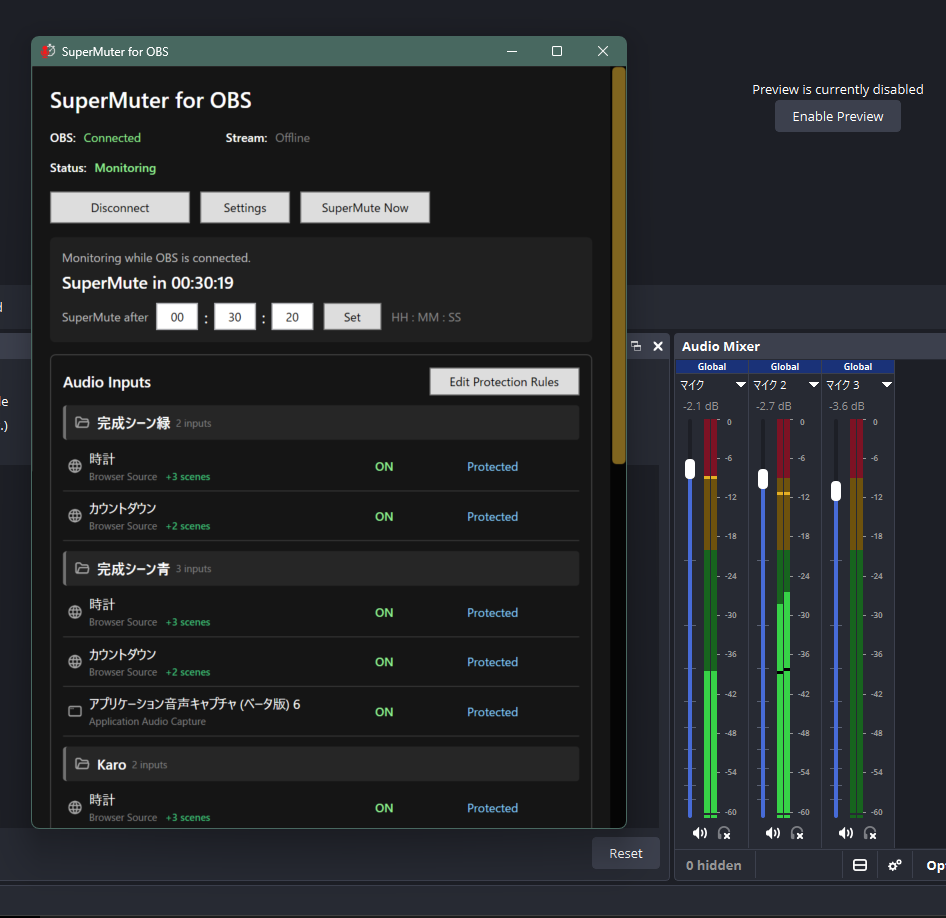
Lets you choose which OBS audio inputs are protected
Supports manual activation with “SuperMute Now”
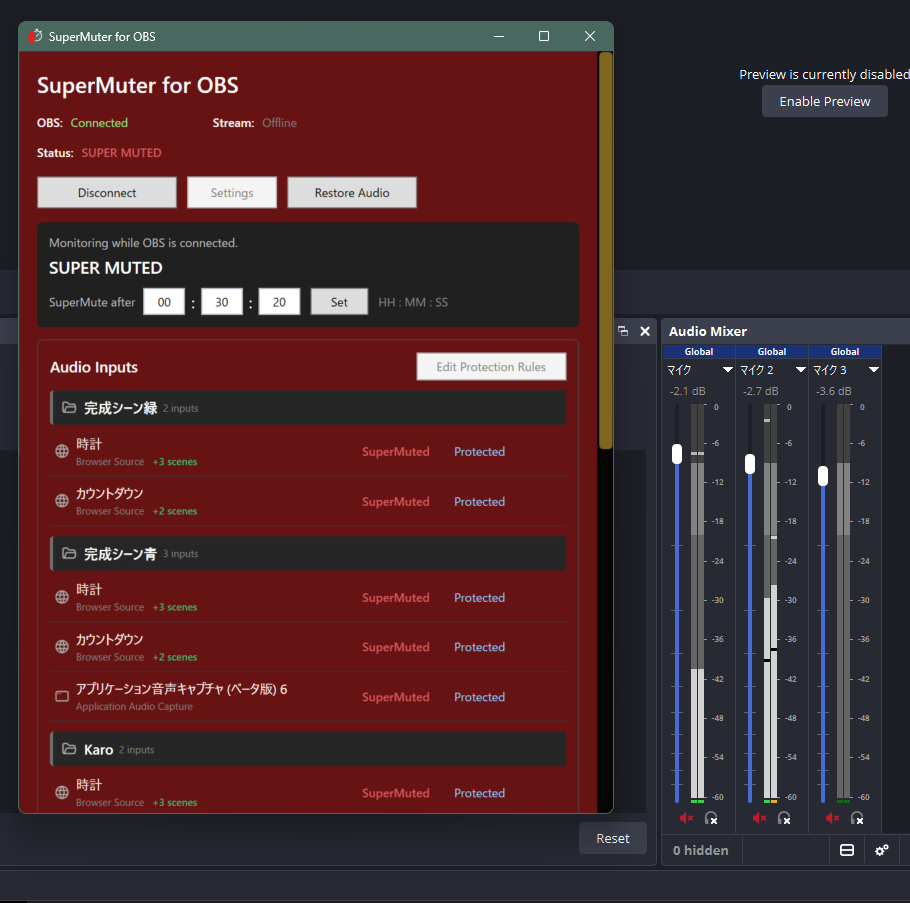
Restores each input to its previous mute state with “Restore Audio”
Connects to OBS Studio through OBS WebSocket
Saves connection settings, protection rules, timer settings, and window position
Includes English and Japanese documentation
Protection Rules
"Protected"
The audio input will be muted when SuperMute activates.
"Not Protected"
SuperMute will not change the audio input.
"Hide"
Removes the input from the SuperMuter list without changing it in OBS Studio.
Safe Audio Restoration
Before SuperMute changes an audio input, its current mute state is saved.
When you select “Restore Audio,” inputs that were previously active are unmuted, while inputs that were already muted remain muted.
Audio is not restored automatically when activity resumes. This prevents sound from unexpectedly returning before you are ready.
System Requirements
64-bit Windows
OBS Studio
OBS WebSocket server enabled
SuperMuter for OBS is self-contained. No separate .NET runtime installation is required.
Setup
1. Enable the WebSocket server in OBS Studio.
2. Open SuperMuter for OBS and enter your OBS WebSocket connection details.
3. Connect to OBS.
4. Mark the audio inputs you want to protect as “Protected.”
5. Set the inactivity timer.
Important Notes
The OBS Studio screens shown in the product images are examples demonstrating integration with SuperMuter for OBS.
OBS Studio itself, along with any scenes, sources, images, or audio shown in the screenshots, is not included with this product.
SuperMuter for OBS is an independently developed, unofficial tool. It is not provided, endorsed, sponsored, or supported by the developers or trademark owner of OBS Studio.
OBS and OBS Studio are registered trademarks of Wizards of OBS LLC.
This software uses icons from Tabler Icons under the MIT License. The applicable license text is included in the download.
Purchase
In order to download this tool you must purchase it at or above the minimum price of $4 USD. You will get access to the following files:

Leave a comment
Log in with itch.io to leave a comment.